
Voices
The app supports two TTS engines: Kokoro (offline, default) and ElevenLabs (cloud, optional).
Kokoro Voices
Kokoro is the default TTS engine. It runs entirely offline — no internet connection required.
Voice List
Kokoro provides a variety of voices loaded from bundled voice model files. The default voice is AF Heart (af_heart).
The exact list of available Kokoro voices depends on the voice files present in the KokoroSharp installation. The app calls KokoroVoiceManager.LoadVoicesFromPath() during initialization to discover available voices.
Voice Fallback
If the configured voice ID is not found, the app falls back to af_heart. If even the default voice is missing, synthesis fails with a clear error message.
ElevenLabs Voices (Optional)
ElevenLabs provides high-quality cloud-based AI voices. This is an optional integration that requires:
- An ElevenLabs account
- An API key (stored encrypted with DPAPI)
- An internet connection for synthesis
Setup
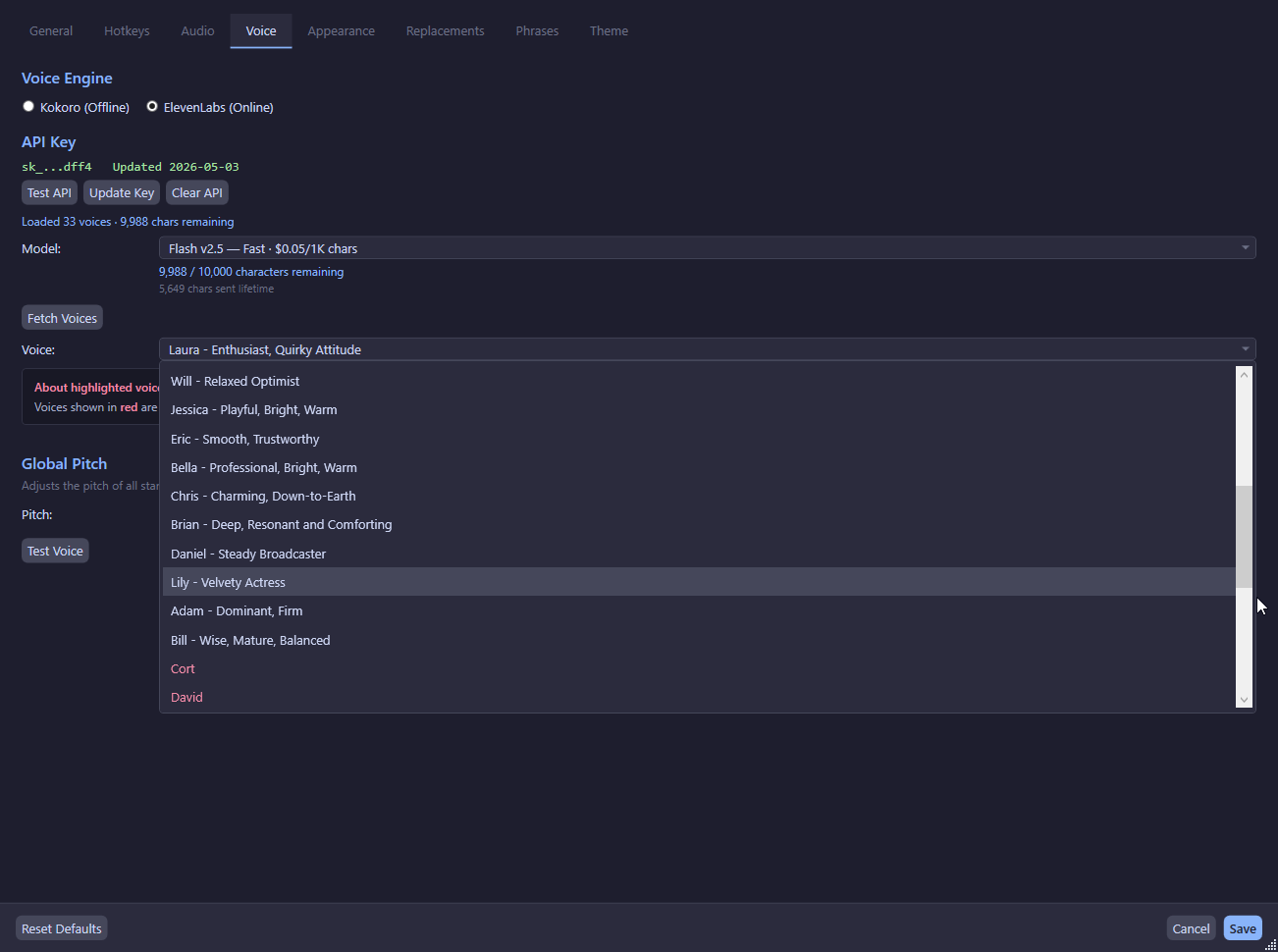
- Go to Settings → Voice
- Switch the engine to ElevenLabs
- Click Enter API Key and paste your key
- The app fetches your available voices and subscription info
- Select a voice from the list
API Key Security
- The API key is encrypted using Windows DPAPI (
DataProtectionScope.CurrentUser) - Only the last 4 characters are stored in plain text (for display purposes)
- The encrypted key is stored in
config.jsonaselevenLabs.encryptedApiKey - Legacy plain-text keys are migrated to encrypted storage on first load
Subscription Info
After entering a valid API key, the app displays:
- Characters used this billing period
- Total character quota
- Cumulative characters used across all sessions
Custom Voices
ElevenLabs voices marked as IsCustomVoice (user-cloned or AI-generated) are highlighted in red in the UI. These require a Creator or higher ElevenLabs subscription.
Model Selection
The default ElevenLabs model is eleven_multilingual_v2. This can be changed in the Voice settings tab.
Global Pitch Control
A global pitch multiplier affects all standard TTS output:
- Changes apply live — no save required
- Clamped to [0.5, 2.0]
- Phrases always use pitch 1.0 unless a per-phrase override is set
Per-Phrase Voice Override
Each phrase can override the global voice settings:
- Engine override: Use Kokoro or ElevenLabs for a specific phrase
- Voice override: Use a specific voice for a specific phrase
- Pitch override: Set a per-phrase pitch multiplier
These are configured in the Phrase Editor window.