
Phrase System
The phrase system lets you save frequently-used messages and trigger them instantly.
Phrase Manager
Open the Phrase Manager from:
- Settings → Phrases tab
- Tray icon → Open Phrase Manager
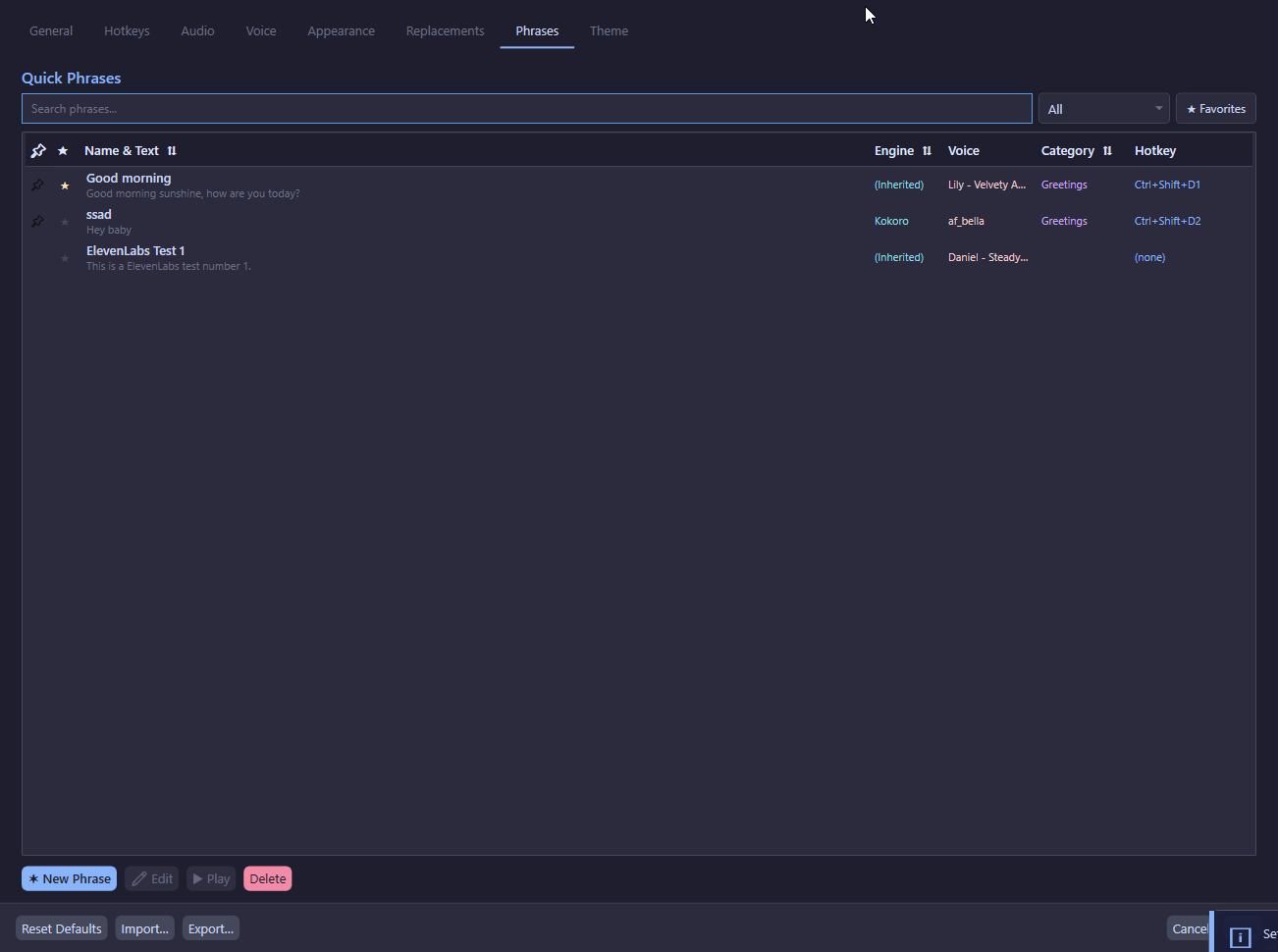
Phrase Fields
Operations
- Add — Create a new phrase
- Update — Save changes to an existing phrase
- Delete — Remove a phrase (with confirmation)
- Play — Trigger TTS for the selected phrase immediately
- Import — Import phrases from a JSON file
- Export — Export phrases to a JSON file
Filtering & Search
- Search box — Filter phrases by text or name
- Category filter — Show only phrases in a specific category
- Favorites toggle — Show only favorite phrases
Phrase Editor
The Phrase Editor is a dedicated window for detailed phrase editing.
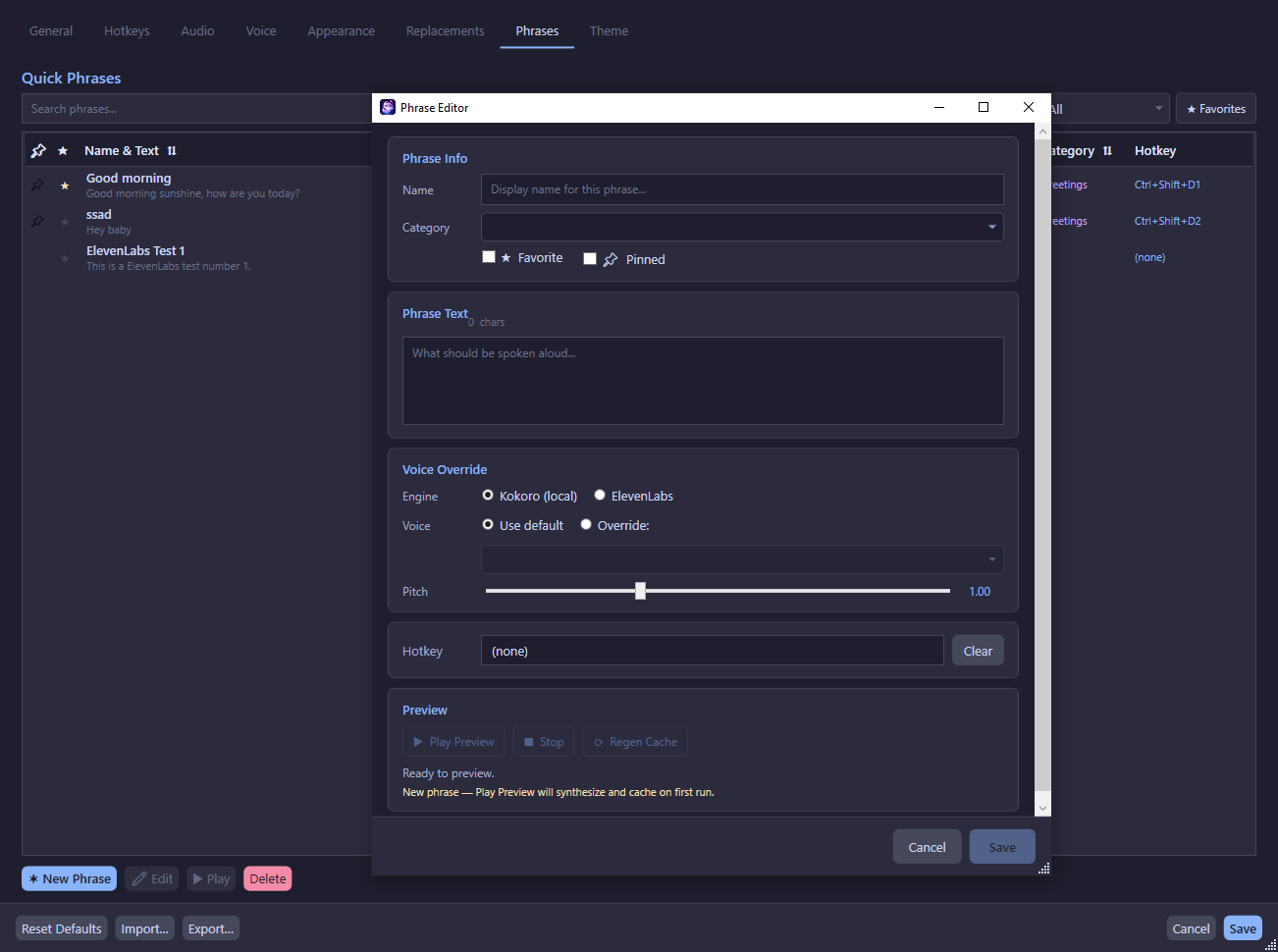
Voice Override Settings
Each phrase can override the global voice configuration:
Preview
- Play Preview — Synthesize and play the phrase with current settings
- Regen Cache — Regenerate the cached audio file
Preview Caching
The preview cache stores the last synthesized audio. Changing any setting (text, engine, voice, pitch) invalidates the cache, ensuring you never hear stale audio. This also prevents unnecessary ElevenLabs API calls.
Phrase Audio Cache
Phrases are pre-cached as WAV files on disk for instant playback:
- Location:
%AppData%\TtsCommunicationTool\phrase_cache\{phraseId}.wav - Generated: Automatically when a phrase is added or updated
- Used: On phrase playback — if cache exists, no TTS synthesis is needed
- Invalidated: When phrase text changes
Import/Export
Export Format
Phrases are exported as a JSON array:
[
  {
    "id": "guid-here",
    "name": "Greeting",
    "text": "Hello everyone!",
    "category": "Social",
    "isFavorite": true,
    "isPinned": false,
    "sortOrder": 1,
    "hotkey": null,
    "overrideEngine": null,
    "useVoiceOverride": false,
    "overrideVoiceId": null,
    "overrideVoiceName": null,
    "overridePitch": null,
    "createdUtc": "2026-01-01T00:00:00Z",
    "updatedUtc": "2026-01-01T00:00:00Z"
  }
]
Import Behavior
- Phrases are added to the existing list (not replaced)
- If a phrase name conflicts with an existing phrase, the imported name is adjusted
- Hotkeys from imported phrases are cleared to prevent conflicts
- A summary is shown: how many added, names changed, hotkeys cleared
Recent Messages
The last 20 sent messages are tracked in memory (not persisted to disk):
- Duplicate consecutive entries are collapsed
- Cleared on app restart
- Accessible via the overlay's resend button or Resend hotkey